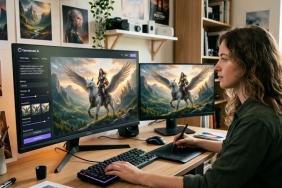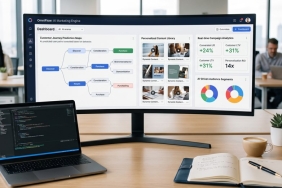

The term “Deck AI” has taken the digital landscape by storm. However, depending on who you ask, it means two completely different things. For entrepreneurs, students, and digital marketers, a “deck” refers to a slide presentation or an investor pitch deck that needs to be built efficiently.
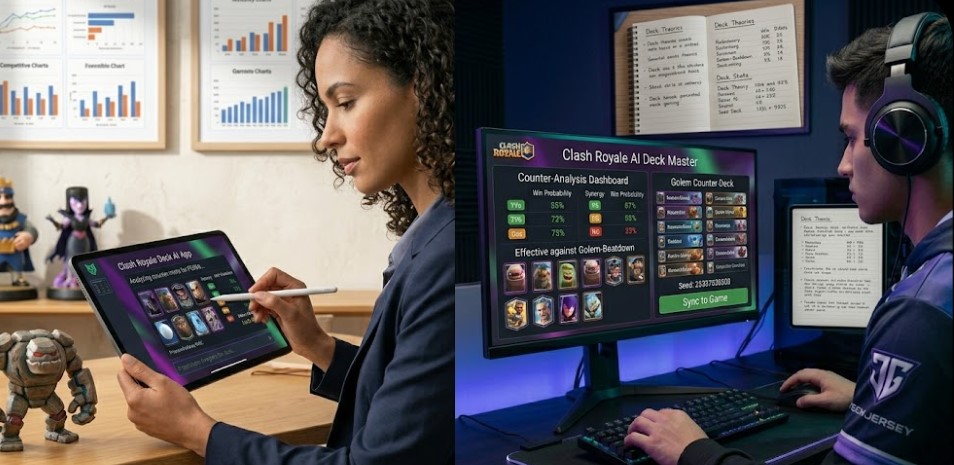
For gamers—especially the massive global community of Clash Royale players-a “deck” is a strategic combination of cards that requires artificial intelligence to analyze counters and win ranked matches.
Whether you are looking to secure million-dollar funding with an AI-generated business presentation or dominate the mobile gaming arena, this comprehensive guide will show you exactly how to use Deck AI ecosystems to achieve maximum leverage.
Part 1: How to Use Deck AI for Presentations and Pitch Decks
Creating a business presentation from scratch used to take hours of formatting, design tweaks, and copywriting. Today, AI-powered presentation generators (often referred to generically as Deck AI tools) allow you to turn a simple text prompt or raw text document into a fully designed, decision-ready slide deck in less than five minutes.
Step-by-Step Guide to Creating AI Presentations
To get the highest quality output from any AI presentation platform, follow this optimized workflow:
-
Define Your Layout and Visual Theme: Once inside your chosen AI platform, select the “Presentation” format. Choose an aspect ratio—16:9 is the standard for modern screens and projectors, while 9:16 works best if you are presenting on mobile devices or social media formats.
-
Input a Highly Descriptive Prompt: The biggest mistake users make is typing a two-word prompt like “marketing plan.” The AI needs context, tone, target audience, and structure to generate something usable.
-
Customize the Output: Don’t let the AI do 100% of the work. Use the native inline AI text editor to reword sentences, condense paragraphs into bullet points, or adjust image placements to match your true brand asset guidelines.
Copy-and-Paste AI Presentation Prompts
Pro-Tip: Utilizing copy-and-paste elements like the blockquotes below can drastically improve your workflow. Copy these ready-to-use prompt formulas directly into your AI generator to get flawless results instantly:
Startup Investor Pitch Deck Prompt
Create an 11-slide investor pitch deck for a modern B2B SaaS startup that automates e-commerce logistics. The tone should be highly professional and visionary. Use a clean minimalist theme with dark mode elements and neon blue accent colors. Include slides for: Problem, Solution, Market Size (TAM/SAM/SOM), Product Demo Outline, Business Model, Competitor Analysis Table, and the Ask.
Digital Marketing Strategy Presentation Prompt
Generate an 8-slide presentation outlining a 2026 content marketing strategy for an international fashion brand. The target audience is internal executive stakeholders. Use a vibrant, modern, and elegant color palette. Focus on short-form video trends (TikTok/Reels), influencer partnerships, and global SEO KPIs. Include clear bullet points and spaces for high-quality lifestyle imagery.
Educational / Explainer Presentation Prompt
Act as an expert computer science professor. Create a 5-slide educational presentation explaining 'The Basics of Quantum Computing' to high school students. The language must be engaging, clear, and metaphorical. Use bright, high-contrast colors and minimalist slide layouts. Avoid heavy blocks of text; use clean bullet points instead.
Tired of Paywalls? Top Free Alternatives to Premium Deck AI Tools
Many users looking up how to use Deck AI platforms end up frustrated by hidden limitations, restrictive credit systems, or high monthly subscriptions once they try to export their files. If you want premium results without pulling out your credit card, try these 100% free or freemium alternatives:
1. Canva Magic Design (Best Free Library)
Canva’s built-in AI presentation maker allows you to input a prompt and automatically generates a selection of presentation templates complete with custom content, structures, and stock graphics.
-
The Free Benefit: You get access to thousands of free layouts and elements, and you can export your file directly to a editable
.pptxformat or share a web view link without paying a dime.
2. Gamma App (Best Free Web Decks)
Gamma offers an incredible alternative to traditional presentation formats by utilizing a card-based scrolling ecosystem that can be edited via natural language chat prompts.
-
The Free Benefit: New users receive free starter credits upon registration that are more than enough to create, share, and export fully polished presentation slides or mini-websites.
3. Adobe Express Presentation Maker (Best PDF & Document Syncing)
Adobe Express lets you upload existing Word documents, PDFs, or raw text files and converts them into structured visual decks in seconds.
-
The Free Benefit: Unlike complex design tools, the baseline AI generation features, background removal tools, and standard presentation exports are completely free with a basic Adobe account.
Part 2: How to Use Deck AI for Gaming (Clash Royale Meta-Strategy)
If you arrived here looking for a competitive edge in mobile gaming, you are likely looking for Deck AI App integrations or AI-driven meta-deck analyzers. In high-stakes mobile strategy games, the player meta shifts constantly. Top players rely on algorithms to calculate win conditions, evaluate elixirs, and build perfect counter-decks.
How Gaming Deck AI Tools Work
Gaming Deck AI systems scrape real-time match data from millions of live worldwide competitive sessions via official developer APIs. The AI evaluates:
-
Win Rates: Which specific 8-card combinations have the highest statistical probability of winning in the current balance patch.
-
Synergy Scores: How well specific cards complement each other to form flawless offensive or defensive pushes.
-
Counter Logic: Automatically recommending specific reactive cards based on the top-trending cards your opponents are playing in your current trophy bracket.
Step-by-Step: Using AI to Build a Winning Trophy Deck
-
Lock in Your Core Asset: Open an AI deck builder (such as Stats Royale or DeckShop AI modules) and select your favorite win-condition card (e.g., Hog Rider or Pekka).
-
Run the Threat Assessment: Look at the AI’s real-time risk panel. It will show you what counter-strategies are currently dominating your specific ladder tier.
-
Optimize Elixir Average: Ensure the AI’s calculated average elixir cost stays balanced (ideally between 3.0 and 4.2) to prevent your rotation from locking up during fast-paced matches.
-
One-Click Import: Use the direct deep-link generated by the AI tool to instantly copy and paste the optimized deck straight into your live in-game profile slot.
Presentation AI vs. Gaming AI: Quick Comparison
| Feature | Presentation Deck AI (e.g., Gamma, Canva) | Gaming Deck AI (e.g., Stats Royale, DeckShop) |
| Primary Users | Entrepreneurs, Marketers, Students | Competitive Mobile Gamers, Streamers |
| Core Input | Text Prompts, Outlines, Documents | Card Names, Trophy Range, Win Rates |
| Output Format | Editable Slides, PDFs, Web Pages | 8-Card Deck Lists, Synergy Ratings, Matchup Odds |
| Main Benefit | Saves hours of manual graphic design work | Maximizes ranked win-streaks via data-driven math |
Emancipate Your Creative and Competitive Workflows
Whether you are designing a pitch deck that wins over global venture capitalists or compiling a card deck that crushes the arena leaderboard, Deck AI is all about maximizing your personal leverage. By feeding these machine learning systems structured parameters, clear inputs, and intentional contexts, you let AI handle the tedious trial-and-error formatting while you focus entirely on flawless strategic execution.
Frequently Asked Questions (FAQs)
Can I download AI-generated presentations into Microsoft PowerPoint?
Yes. Almost all major presentation AI ecosystems (including Canva, Gamma, and Adobe Express) allow you to download your finished drafts directly as fully editable .pptx files.
Do I need design skills to use presentation AI builders?
Absolutely not. The tools are built entirely around natural processing language. If you can describe your goal using basic phrases, the AI handles the research, layout framing, and typography.
Will using a gaming Deck AI get my account banned?
No. Public AI deck builders utilize official, open-source API data provided by the game developers themselves. They do not inject malicious scripts or manipulate live game files, making them 100% safe to use.
Frequently Asked Questions (FAQs)
Can I download AI-generated presentations into Microsoft PowerPoint?
Yes. Almost all major presentation AI ecosystems (including Canva, Gamma, and Adobe Express) allow you to download your finished drafts directly as fully editable
.pptxfiles.
Do I need design skills to use presentation AI builders?
Absolutely not. The tools are built entirely around natural processing language. If you can describe your goal using basic phrases, the AI handles the research, layout framing, and typography.
Will using a gaming Deck AI get my account banned?
No. Public AI deck builders utilize official, open-source API data provided by the game developers themselves. They do not inject malicious scripts or manipulate live game files, making them 100% safe to use.