
The landscape of digital creativity has shifted dramatically, and artificial intelligence is at the forefront of this revolution. Among the myriad of AI image generators flooding the market, one platform has been quietly capturing the attention of digital creators, marketers, and enthusiasts alike: Opendream AI.
If you are looking for a powerful, user-friendly tool to turn your text prompts into breathtaking visual masterpieces, you’ve likely come across this platform. But what is Opendream AI art, how does it work, and how can you use it to supercharge your creative workflow?
In this comprehensive guide, we will unpack everything you need to know about this trending AI tool, explore its core capabilities, analyze its pricing structure, and provide a step-by-step tutorial on how to get started.
What is Opendream AI Art?
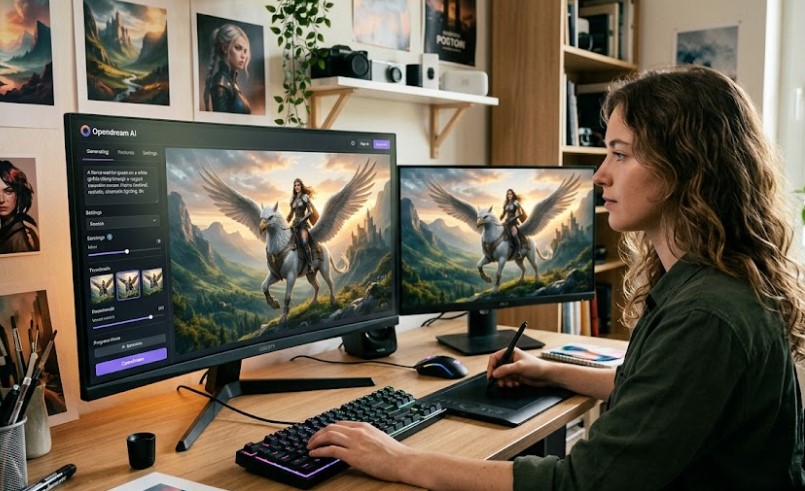
Opendream AI is an advanced online AI-powered art generator designed to democratize the process of visual creation. By utilizing state-of-the-art machine learning models, Opendream allows users to type in simple or complex textual descriptions (prompts) and convert them into high-quality digital paintings, photorealistic images, anime art, and complex graphic designs within seconds.
Unlike traditional graphic design software that requires years of technical training, Opendream AI relies on natural language processing. This means if you can describe it, Opendream can paint it. The platform caters to a diverse audience, including:
-
Content Creators & Bloggers: Generating custom featured images and social media graphics.
-
Digital Marketers: Creating eye-catching visuals for ad campaigns without high stock photography costs.
-
Concept Artists & Writers: Visualizing characters, landscapes, and storyboards.
-
Hobbyists: Exploring the boundaries of AI-driven imagination.
Opendream AI Art: How to Become a Master Creator
Mastering AI art generation is not just about typing a random sentence; it is about understanding how the AI interprets your words. To become a proficient creator on Opendream AI, you need to understand the anatomy of a perfect prompt.
1. Master the Text-to-Image Formula
When using Opendream, your prompt should ideally follow a structured format:
[Subject] + [Detailed Environment/Action] + [Style/Medium] + [Lighting/Color Palette] + [Quality Boosters]
-
Basic Prompt: “A cat in a space suit.”
-
Master Prompt: “A majestic cinematic shot of a ginger tabby cat wearing a detailed NASA spacesuit, floating in the deep void of space, distant colorful nebulae in the background, neon blue rim lighting, highly detailed, 8k resolution, photorealistic.”
2. Leverage Style Presets
Opendream AI stands out because of its built-in style modifiers. Instead of guessing the right technical keywords, you can select pre-made filters such as:
-
Cyberpunk / Sci-Fi
-
Anime / Manga Style
-
Oil Painting / Classic Art
-
3D Render / Unreal Engine 5
3. Use Negative Prompts
One of the secrets to avoiding distorted hands, double heads, or blurry backgrounds in AI art is utilizing the Negative Prompt feature. By telling Opendream what not to include (e.g., deformed, blurry, extra limbs, low quality, bad anatomy), you drastically increase the quality of the final output.
Key Features That Set Opendream AI Apart
The AI art market is highly competitive, with giants like Midjourney, DALL-E 3, and Stable Diffusion leading the pack. However, Opendream AI has carved out a substantial niche due to several distinct features:
User-Friendly Interface
While tools like Midjourney require navigating Discord servers, Opendream offers a clean, web-based dashboard. Everything is accessible via a browser, making it intuitive for beginners.
Text-to-Image and Image-to-Image (Img2Img)
Not only can you generate art from text, but you can also upload an existing photo and instruct the AI to transform it. Want to turn your selfie into a Disney character or a Renaissance painting? The Image-to-Image tool handles this effortlessly.
Real-Time Upscaling and Editing
Opendream includes built-in tools to upscale your generated images to higher resolutions without losing detail. This is crucial for creators who want to print their artwork or use it for high-end digital publishing.
Opendream AI Art + How Much Does It Earn 2026?
With the rise of the creator economy, many users are looking at Opendream AI not just as a hobby, but as a lucrative side hustle or full-time business. How much can you actually earn using Opendream AI art in 2026?
The monetization potential of AI art has matured significantly. Creators are no longer just selling raw JPEG files; they are integrating AI assets into scalable business models.
How to Maximize Earnings with Opendream AI
-
Print on Demand: Generate unique, high-quality patterns, retro t-shirt designs, or wall art using Opendream, upscale them, and list them on Etsy.
-
Book Cover Design: Self-published authors on Amazon KDP are constantly looking for affordable, striking covers. You can use Opendream to generate unique character concepts and backgrounds, assemble them in Canva, and sell them as premade or custom book covers.
-
NFTs and Digital Collectibles: While the initial hype has stabilized, a steady market remains for high-quality, cohesive digital art collections.
Opendream AI Pricing: Is There a Free Trial?
A major factor behind Opendream’s viral growth is its accessible entry barrier.
-
The Free Tier: Opendream AI typically operates on a credit-based system. New users receive free daily credits to test the platform, experiment with different styles, and download images.
-
Premium Plans: For heavy users, commercial creators, and businesses, Opendream offers premium subscription tiers. These plans unlock faster generation times (priority queues), commercial usage licenses, higher resolution upscaling, and access to exclusive, advanced AI models.
Note: Always review the platform’s current terms of service regarding the commercial usage rights of images generated on the free tier versus paid subscriptions.
Step-by-Step Tutorial: Generating Your First Artwork on Opendream
Ready to create your first viral image? Follow these simple steps:
-
Sign Up: Go to the official Opendream AI website and create a free account using your Google login or email.
-
Navigate to the Generator: Click on the “Create” or “Workspace” tab.
-
Enter Your Prompt: In the main text box, type your descriptive prompt. (Remember the formula: Subject + Environment + Style).
-
Select Your Dimensions: Choose the aspect ratio that fits your target platform (e.g., 1:1 for Instagram, 16:9 for YouTube thumbnails or blog headers, 9:16 for TikTok/Reels).
-
Choose a Model/Style: Select from the available dropdown menu (e.g., Realistic, Anime, Fantasy).
-
Click Generate: Hit the generate button and watch the AI bring your imagination to life within seconds.
-
Upscale and Download: If you love the result, use the upscale tool to enhance the clarity, then download it to your device.
Tips for Getting Hits and Going Viral with AI Art
If you are publishing your Opendream creations on platforms like Pinterest, Instagram, TikTok, or your own blog, keep these traffic-driving tips in mind:
-
Ride the Trend Waves: Generate art based on trending pop culture topics, newly released movies, or viral anime series.
-
SEO Optimize Your Image Alt-Text: If uploading to a website, ensure your file names and alt-text use descriptive, high-volume keywords (e.g.,
futuristic-cyberpunk-city-street-ai-art.jpg). -
Create “Before and After” Content: Short-form video platforms love transitions. Show the raw text prompt first, then cut to the stunning Opendream AI result. This format is proven to drive massive engagement.
Is Opendream AI Worth It?
Opendream AI art bridges the gap between imagination and technical execution. Whether you are a business owner looking to cut down on stock photo costs, a digital entrepreneur scaling a content website, or an artist looking for new inspiration, Opendream provides an efficient, accessible, and powerful toolkit.
By understanding prompt engineering, leveraging style presets, and applying smart monetization strategies, you can transform this AI tool from a simple entertainment app into a powerful engine for digital traffic and income generation.
FAQs About Opendream AI
Can I use Opendream AI art for commercial purposes? Yes, but it typically depends on your account tier. Paid subscription plans generally grant full commercial rights for the images you generate, making them safe for ads, products, and web design.
How does Opendream compare to Midjourney? While Midjourney offers incredible detail, it requires using Discord and can have a steeper learning curve. Opendream provides a more straightforward, web-browser-based interface that is ideal for quick, high-quality workflows.
Do I need design skills to use Opendream? Not at all. The platform is built entirely around natural language. If you can describe your idea in words, the AI handles the rest.